
Clinton County Traffic Court Records
In Clinton County, traffic and vehicle-code cases go to 65A District Court. A city may resolve a local parking or notice matter through its own bureau before any court referral. For a ticket in court, the 65A Traffic Division, not the Circuit Clerk, is the working contact. The court record can include the citation or case number, the alleged violation, court events, any admission or plea, hearing details, fine and cost, and the balance shown publicly.
The 65A Traffic Division sits at 100 E State Street, Suite 3400, St. Johns, MI 48879. The phone number is 989-224-5151. Fax reaches 989-224-5154, and email goes to DistrictTraffic@clinton-county.org. Counter hours run Monday through Friday, 8:00 a.m. to 4:45 p.m. Phone hours run to 5:00 p.m. Civil filings cut off at 4:30 p.m.
Three online tools serve different purposes. MiCOURT is the public case-history route. Michigan ePAY offers a ticket and case search, while CourtDisplay gives a date-based schedule view. None of them replaces the full court file. The county's Traffic Division page posts the local response procedures and the direct contact route.
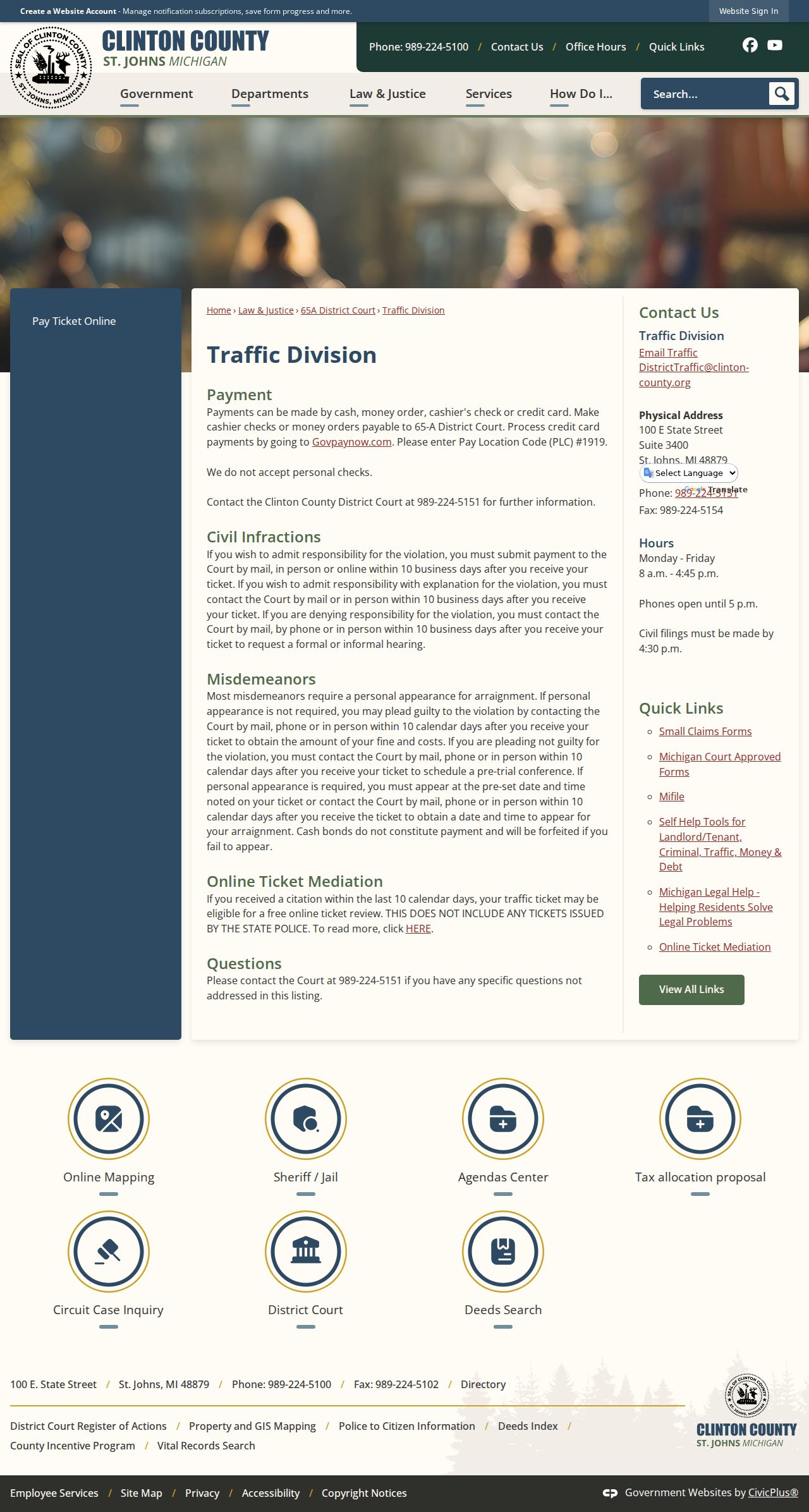
Its instructions tie every ticket response to the 65A counter and its deadline. A general county records office is not the route.
Clinton County Traffic Ticket Deadlines
A civil infraction in Clinton County gives you ten business days after you receive the ticket. If you admit responsibility, pay through a route the court allows. An admission with explanation works differently. You must contact the court by mail or in person, since the county does not treat online payment alone as an explanation. Denying responsibility opens a third door. Contact the court by mail, phone, or in person within the same window. Ask then for a formal or informal hearing.
Misdemeanor tickets follow a separate path. Most require a personal appearance for arraignment. When no appearance is required, contact the court by mail, phone, or in person within ten calendar days for the guilty-plea amount and costs. Not guilty? Contact the court within ten calendar days to schedule pretrial. Some tickets carry a preset appearance. Attend at the stated date and time, or contact the court within ten calendar days for an arraignment setting.
Failure to appear: The county warns that a cash bond is not ticket payment and may be forfeited when a person fails to appear. It does not state that every missed ticket has the same consequence or timeline. For a missed date, call Traffic at 989-224-5151, check the official case and calendar routes, and use the county’s warrant-review link where appropriate.
Looking Up a Traffic Ticket
Start with the issuing court and the citation number. Those two details unlock most searches. MiCOURT's 65A Register of Actions carries the public case history for a traffic docket. Michigan ePAY searches ticket and case information. When a record has not posted, or you need a copy, the 65A counter can help. A name-only search can pull up similar names, so use the birth-year or whatever public field the route requests, and compare the court and citation details before trusting a result.
- Read the ticket for the issuing court, citation number, appearance date, and response deadline.
- Use the 65A MiCOURT route for public case history when a case number or name search is suitable.
- Use Michigan ePAY for its ticket-specific search paths when the citation details fit that service.
- Check the county’s District Court Schedule for a date-based public calendar view.
- Call, email, mail, or visit the 65A Traffic Division if a ticket has not posted or a deadline is unclear.
Mail works for a civil-infraction admission payment, an explanation, or a denial with a hearing request. Stay inside the county's stated time window. Walk-in service happens at the 65A Traffic Division counter. Accepted payments are cash, money order, cashier's check, or credit card. Personal checks are not accepted. Call first for current filing instructions.
Michigan ePAY Ticket Search Paths
Michigan ePAY's ticket search opens with County and Court dropdowns. There is no single generic court-record search here. Several routes exist instead. Search by last name plus ticket or case number. Or use last name plus date of birth, driver license number with state, or license plate number with state. County and court options can change, so confirm the full list in the live dropdown.
| Last name + ticket/case | Last Name and Ticket / Case # fields. |
|---|---|
| Last name + birth date | Last Name plus month, day, and year selectors. |
| License route | Driver Lic# and State fields in ePAY, not the MiCOURT public ROA search. |
| Plate route | License Plate# and State fields. |
| Cart record | Ticket #, name, issue date, violation, amount, and payment controls. |
MiCOURT's public privacy guidance limits ordinary portal searching by driver-license number. The two tools are not the same. ePAY's payment screen warns that paying enters an appearance, waives a hearing, and admits responsibility.
The ePAY ticket and case search form lays out the separate search pathways.
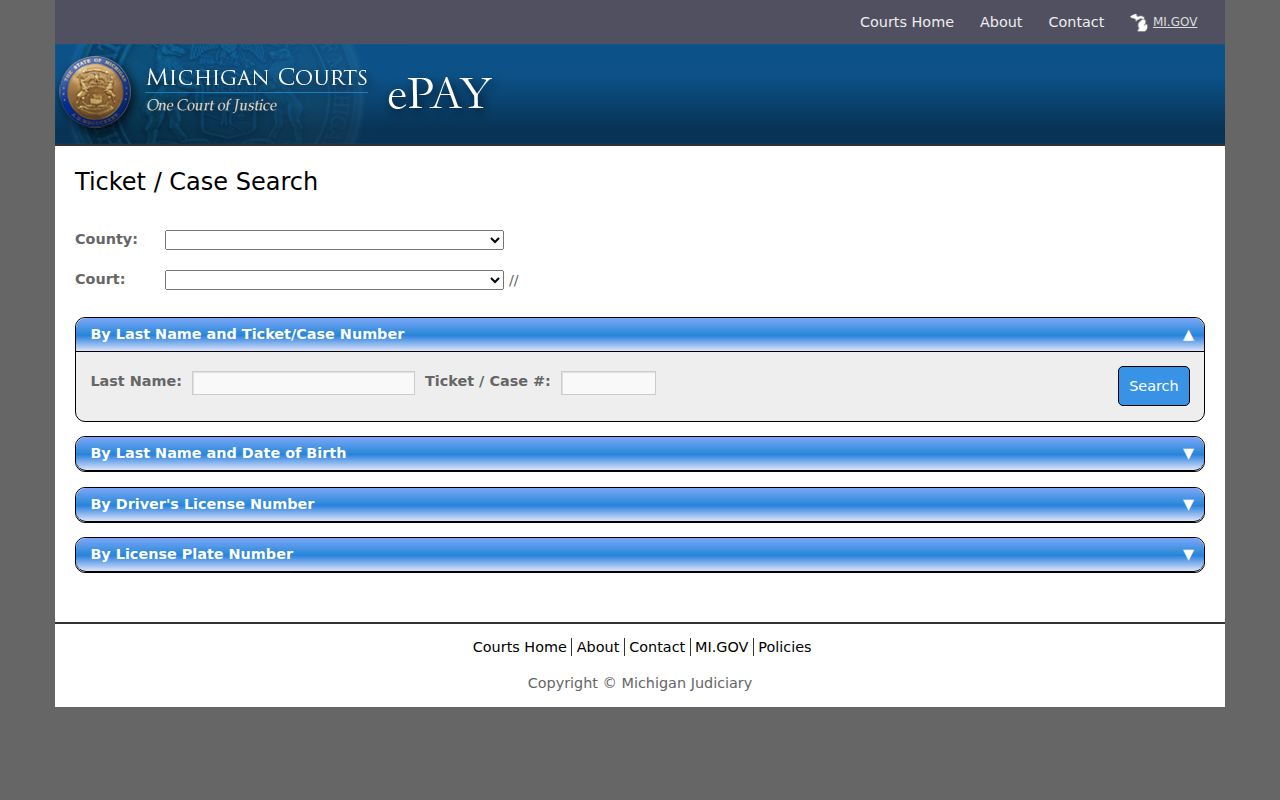
Right fields keep ticket lookup and court history separate.
How to Find Your Traffic Court Date
Your ticket and the latest court notice control your personal appearance date. The public calendar is only a lookup aid. Clinton County's District Court Schedule embeds the official MiCOURT CourtDisplay. It runs on dates rather than serving as a full case-history database. Does the schedule conflict with a notice? Call 65A. Do not trust an older screen view.
| Citation number | Use the number printed on the ticket; exact local format is not published. |
|---|---|
| Court | 65A District Court for the county traffic-court route. |
| Date and time | Read the ticket or notice, then compare the current public setting where available. |
| Room | CourtDisplay may show a room identifier for a scheduled public event. |
| Status | Use the ROA for events and disposition; a calendar line alone is not a disposition. |
CourtDisplay shows date navigation plus Party Name, Time, Room, and Case Number for any public event. A blank date does not close the case. Check the MiCOURT ROA and compare its most recent setting or event. Then confirm with 65A.
Clinton County Traffic Calendar Records
A Clinton County traffic calendar entry is a schedule, not an outcome. The calendar view is built around dates. The Register of Actions, by contrast, is the dated event history of the case itself. A calendar line can list a party, a time, a room, and a case number. The ROA can show filings, hearings, orders, admissions, payment events, or a disposition. Dates also move. A setting can be canceled, vanish, or give way to a later event while the case stays open.
Before trusting any listed date, scan the docket. Look for a continuance, reset, adjournment, or rescheduled event. Clinton County publishes no local short-code dictionary. So read the full event description and confirm with the court when the entry affects an appearance. A hearing line only proves something was set. It never tells you what the court decided.
The official MiCOURT CourtDisplay interface shows the public calendar format served through the county wrapper. When a public schedule and a case record disagree, the Traffic Division is the local confirmation route.
Pay or Contest a Ticket
Paying a ticket and requesting a hearing are two different procedural choices. Clinton County treats them that way. For a civil infraction, you can admit by paying within ten business days. You can admit with an explanation by mail or in person within that same period. Or you can deny it by mail, phone, or in person. Then ask for a formal or informal hearing. The county's ePAY warning is blunt: payment enters an appearance, waives a hearing, and admits responsibility. So read the ticket in full before you choose any payment route.
| Payment / admission | Contest / hearing request |
|---|---|
| For a civil infraction, payment may admit responsibility under the county’s procedure. | A denial asks the court for a formal or informal hearing. |
| Respond within ten business days for a civil infraction. | Contact the court within ten business days for the civil-infraction request. |
| Use the court’s online, mail, in-person, or approved payment route. | Use mail, phone, or in-person contact as the county directs. |
| For eligible misdemeanors without a required appearance, ask the court for the guilty-plea amount and costs. | For a misdemeanor not-guilty plea, contact the court within ten calendar days to schedule pretrial. |
Accepted payment methods are cash, money order, cashier's check, and credit card. Make cashier's checks and money orders payable to 65-A District Court. Leave the personal checkbook at home; the court does not take them. Card payments run through external services. Processor fees may apply. The county publishes no exact current processor amount.
Clinton County Ticket Mediation
Clinton County Online Ticket Mediation is a Court Innovations route. It sits apart from both payment and public record search. A citation from the last ten calendar days may qualify for a free review. The county says minor violations can be amended. It does not promise that every citation qualifies or that any particular result follows.
Michigan State Police citations are excluded from this route. Does that exclusion apply? Follow the directions printed on the ticket. Contact 65A about the response or hearing path. Online Warrant Review is a separate county link with its own intake process. The county publishes no downstream adjudication standards for it. So treat it as an option rather than a promised resolution.
The official county mediation page states the eligibility window and the exclusion.
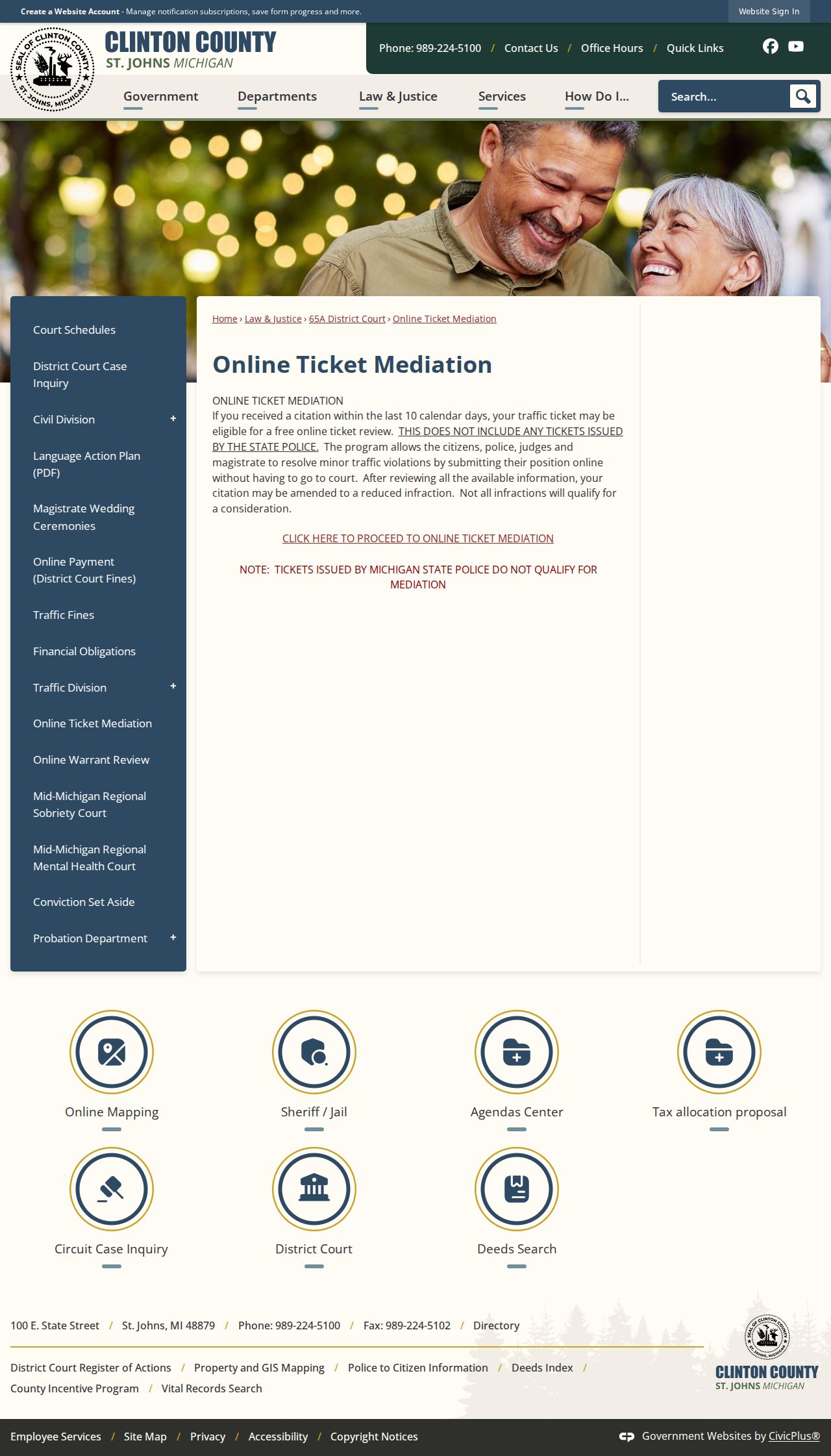
Mediation is a decision-specific alternative only. It does not replace checking a Clinton County court record or a deadline.
Traffic Court Record vs Driving Record
A 65A court traffic record and a Michigan Secretary of State driver record are different things. Each one answers a different question. The court record covers one citation or case. It shows the alleged violation, court events, an admission or plea, any hearing, the fine or cost, a public balance, and the disposition. The court holds it, and you reach it through MiCOURT, ePAY, or direct 65A contact. The driver record lives with the Michigan Secretary of State. That one tracks licensing and point history, not case filings.
| 65A court traffic record | Secretary of State driver record | |
|---|---|---|
| Custodian | 65A District Court / court clerk | Michigan Secretary of State |
| Focus | Citation, court events, hearing, outcome, fine or court balance where public | Licensing and point history |
| Access route | MiCOURT, ePAY, or court contact | Secretary of State driver-record route |
The county Traffic Fines page lists points as a handy reference, but the Secretary of State keeps the real driver record. Paying a court ticket carries procedural consequences of its own. It still does not turn a court case search into a driver-record report.
Clinton County GovPay Ticket Payment
GovPay PLC 1919 is Clinton County's online way to pay a traffic ticket. The code points to 65 A District Court. That court sits at 100 E State Street, Suite 3400, St. Johns. A 989-224-5150 court phone is shown there too. Treat it as a payment route and nothing more. It will not show your citation status or the docket history behind it.
The form asks for a first and last name plus a case or citation number. Middle name and date of birth stay optional. From there it moves straight to payment, taking Mastercard, Visa, American Express, Discover, and debit. Processor fees apply, and the county or payment page discloses them. Need to read case events? Want to confirm a hearing setting? The MiCOURT ROA is still the tool to use.
The GovPay PLC 1919 payment screen keeps its payment fields apart from the public court-history tools.
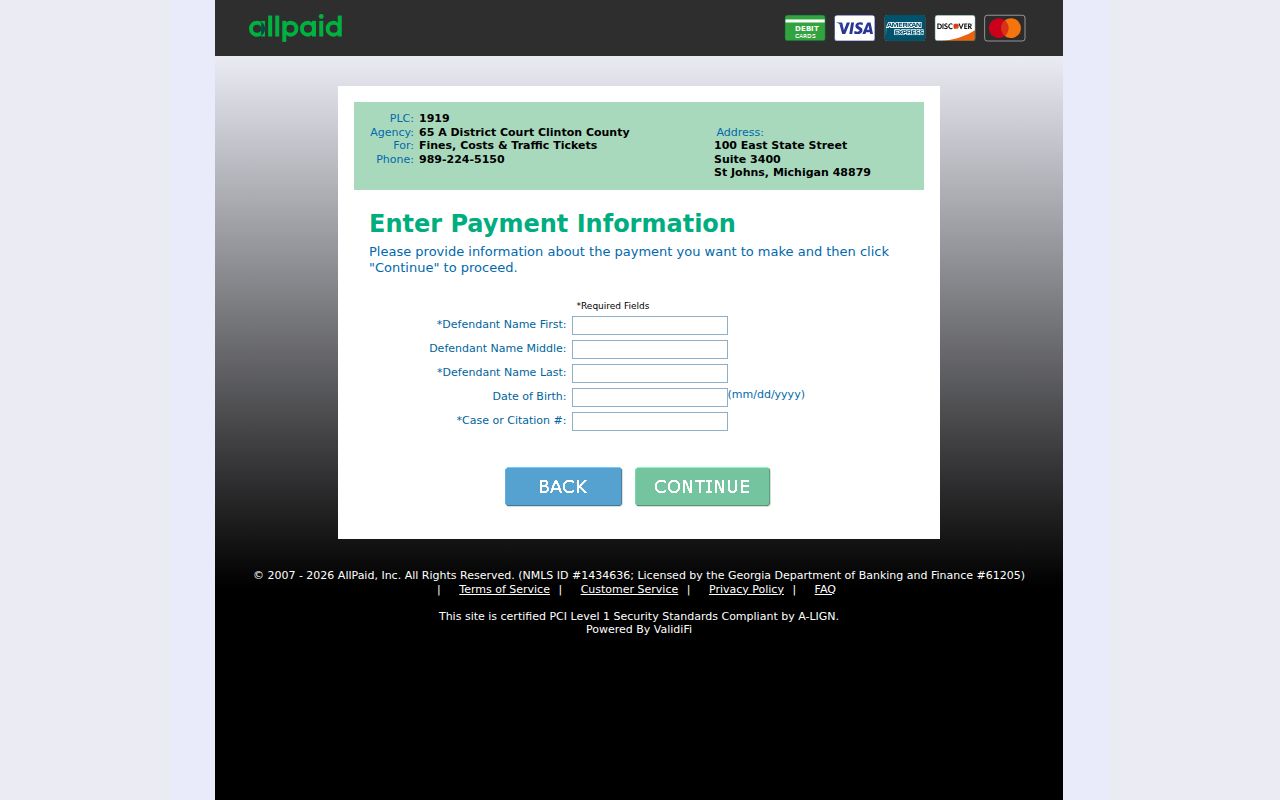
Typing a citation number into GovPay answers one question only: how to send money. It does not tell you what the Clinton County ticket says or how the case stands. Look up the docket first, then pay.
Copies and Fees
Need a paper copy of a traffic court record? Ask 65A for the exact document and the current court route. One caution: the Circuit document-copy schedule does not automatically govern a District traffic image. Also, 65A lists no per-document image fee. Do not confuse payment options with a fee schedule either. What a ticket costs to settle says nothing about copy charges. Keep the two purposes straight when what you want is a court record, not a payment.
| Item | Fee | What is known |
|---|---|---|
| 65A traffic court copy | Fee not located in official sources | Ask 65A for the public-copy or certified-copy procedure. |
| 65A traffic certified copy | Fee not located in official sources | Identify the exact record and certification need. |
| GovPay card transaction | Processor fee may apply | Exact current processor amount not located in official sources. |
| Circuit copies | Different schedule | Do not apply Circuit rates to a District traffic request. |
Visiting the office in person? Bring the citation or case number and the name. An approximate date helps too. So does a precise request, such as a register, order, judgment, or certified copy. Mail, phone, fax, and email each carry their own quirks. Confirm with the office how it currently accepts such requests before you assume yours is complete.
Clinton County Traffic Fine Table
For fine amounts on a Clinton County traffic ticket, go straight to the county's live Traffic Fines page. Do not rely on a copied chart. A few examples show the level of detail it holds. Speeding 1–5 miles over off the freeway runs $150 and one point. Running a red light or a stop sign costs $200 and three points. A no-proof-of-registration ticket may be waived if you show proof within ten days.
Proof deadlines matter here. Expired-license and registration entries list lower amounts when renewal or proof is shown in that stated window. Alcohol violations and driving while suspended are flagged for a judge or magistrate instead. Use these figures as reference. They are not a substitute for direction from the court on your own ticket. Amounts and statutes shift over time, so weigh the citation itself too.
The official Clinton County Traffic Fines table publishes the current citation-level amounts. All the notes above appear there as well.

Checking the live table keeps you from acting on a stale fine amount or proof condition when deciding how to answer a ticket. After you select a ticket, Michigan ePAY's ticket cart page shows the ticket number, your name, the issue date, the violation, the amount, and the payment controls.
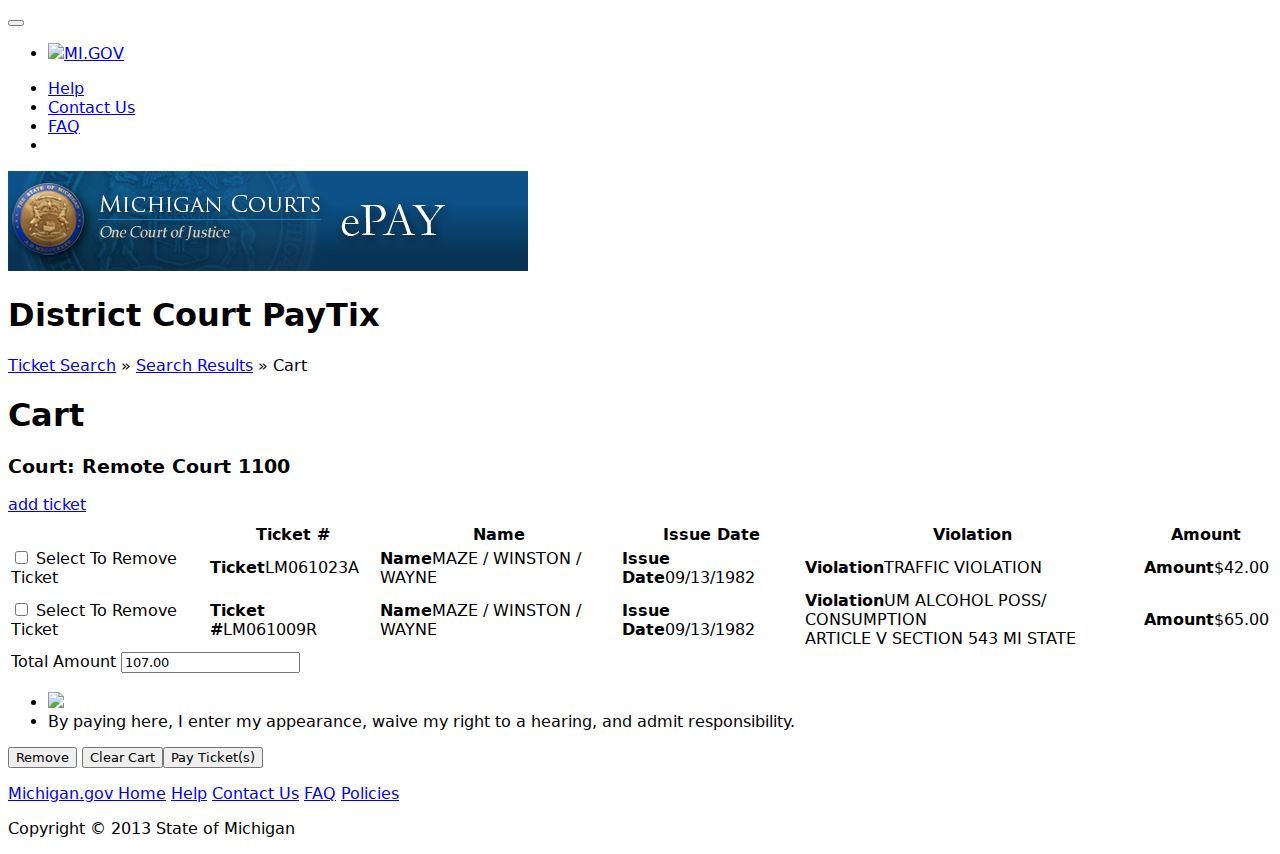
That cart verifies the details of one transaction only. For the full court history on a Clinton County case, the public ROA remains the record of authority.